Why Turnstile, and not a captcha

A client came to me with a bot problem. It was signing up with real-looking Google emails.
Those emails flowed straight into his marketing system. When campaigns went out, a chunk bounced, his domain lost sending authority, and conversions dropped with it.
The diagnosis was murky too. The only clue was the rejection reason: “Inbox full.” That likely meant the attacker was seeding the list with known-dead inboxes from past attacks.
We looked at three options:
- Fail2Ban
- Captcha
- Cloudflare Turnstile
Fail2Ban was out. It was never the same email or IP abusing us.
Captcha works, but Turnstile is free. And personally, I trust a site with Turnstile more than one that makes me fail image puzzles.
How Turnstile works
In simple words:
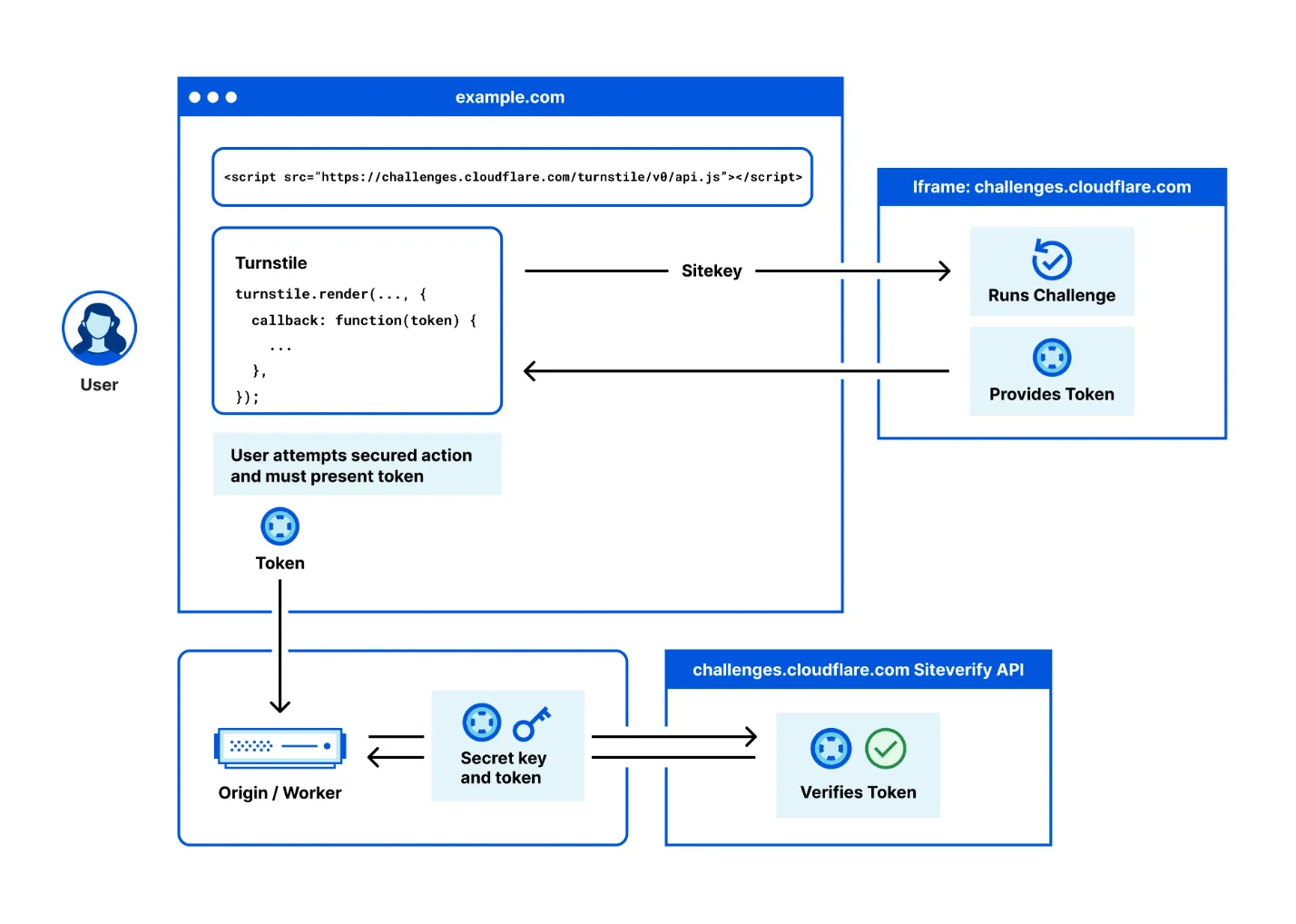
- Get your private and public keys.
- Add a script to your page.
- The script looks for a specific class in your document.
- It renders the widget.
- The widget calls the Cloudflare API for a signed token using your public key.
- The signed token gets inserted into the form, ready for submit.
- On submit, your controller makes a second request to check that token with your private key.
- If the challenge passes, you proceed. If not, you send the cops.
In one image:
Implementation
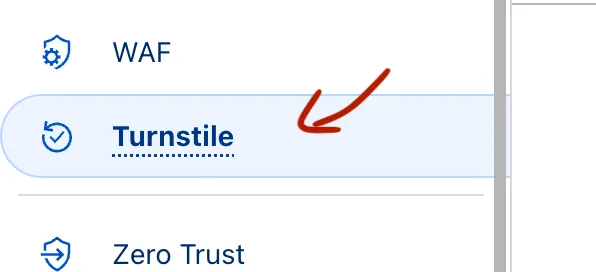
Create your credentials
Create an account if you don’t have one, log in, and create your site:

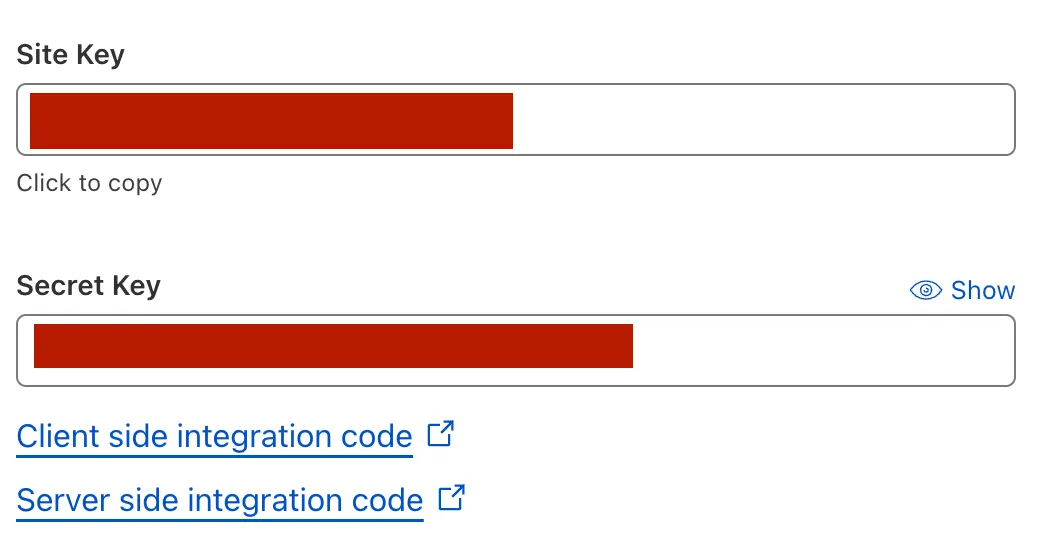
Leave everything to default and add your site name and domain. These are your keys:
Then spend 10 minutes in the Cloudflare docs:
Add the JS (the view, layout head)
Add this in app/views/layouts/application.html, inside the head tag:
<%=
  javascript_include_tag "https://challenges.cloudflare.com/turnstile/v0/api.js",
  "data-turbo-track": "reload",
  defer: true
%>
Protect your form (the view, your form)
In your form, add this HTML with the data-sitekey:
<div
  class="cf-turnstile mb-3"
  data-controller="cloudflare-turnstile"
  data-sitekey="<%= Rails.application.credentials.dig(:cloudflare_turnstile, :public_key) %>"
  data-callback="cloudflareTurnstileCallback">
</div>
Render the widget with Turbo (the Stimulus controller, JS)
// /app/javascript/controllers/cloudflare_turnstile_controller.js

import { Controller } from "@hotwired/stimulus"

// Connects to data-controller="cloudflare-turnstile"
export default class extends Controller {
  connect() {
    // window.turnstile is available thanks to the js script you added in the head.
    if (document.querySelector('.cf-turnstile') && window.turnstile) {
      window.turnstile.render(".cf-turnstile")
    }
  }
}
This keeps the Turnstile widget alive across page navigations.
Validate the token
Once the user clicks the widget, it inserts a token that needs validating in the action your form targets.
Here that’s the Devise sign-up, so we use a custom registrations controller.
The controller
# app/controllers/users/registrations_controller.rb
module Users
  class RegistrationsController < Devise::RegistrationsController
    prepend_before_action :validate_cloudflare_turnstile, only: :create

    # Your controller logic

    def validate_cloudflare_turnstile
      validation = TurnstileVerifier.check(params[:"cf-turnstile-response"], request.remote_ip)
      return if validation

      # If validation fails, we set our resource since this code is executed
      # in a `prepend_before_action`
      self.resource = resource_class.new sign_up_params
      resource.validate
      set_minimum_password_length
      respond_with_navigational(resource) { render :new }
    end
  end
end
To have that controller in your app, generate it:
rails g devise:controllers users -c=registrationsIn your routes, add:
devise_for :users, controllers: { registrations: 'users/registrations' }The model (the verifier)
# app/models/turnstile_verifier.rb
require "net/http"

class TurnstileVerifier
  PRIVATE_KEY = Rails.application.credentials.dig(:cloudflare_turnstile, :private_key)

  # Catch relevant network errors only.
  NETWORK_ERRORS = [Errno::ETIMEDOUT]

  # Set max retries here.
  MAX_RETRIES = 3

  # Syntactic sugar syntax to avoid initialization in the controller
  def self.check(payload, client_ip)
    new(payload, client_ip).check
  end

  def initialize(payload, client_ip)
    @payload = payload
    @client_ip = client_ip
  end

  def check
    return false unless @payload
    result = request_verification
    result["success"]
  end

  private

  def request_verification
    attempts ||= 0
    verification_url = URI("https://challenges.cloudflare.com/turnstile/v0/siteverify")

    response = Net::HTTP.post_form(verification_url,
      secret: PRIVATE_KEY,
      response: @payload,
      remoteip: @client_ip
    )

    JSON.parse(response.body)
  rescue *NETWORK_ERRORS
    retry if (attempts += 1) <  MAX_RETRIES # Retry mechanism
  end
end
NOTE: a non-ActiveRecord class in the models?!
Yes, and it’s okay. Read some gems and you will notice people do it. You don’t need everything to live in a Service namespace.
How it works on this blog (the static-site version)
This blog is not in Rails. It’s statically generated with minimal JavaScript, and I use a Cloudflare Worker when I need a backend call, because it’s free and sufficient.
Here’s what I’m doing.
The view
  <!-- Rest of the form... -->
  <div class="cf-turnstile flex justify-center" data-sitekey="my_public_key"
    data-callback="turnstileCallback">
  </div>
  <!-- Rest of the form... -->
NOTE:
turnstileCallbackcan be used in the Stimulus controller.
The Stimulus controller (JS)
import { Controller } from "@hotwired/stimulus"

export default class extends Controller {
  static targets = ["email", "fields", "thankyou", "submit"]

  connect() {
    // Setting variables

    window.turnstileCallback = (token) => {
      this.token = token
      this.fieldsTarget.classList.remove("hidden")
    }
  }

  onChange(event) {
    // More ui logic
  }

  async submit(event) {
    event.preventDefault()
    if (this.emailTarget.value) {
      await fetch(this.url, {
        cors: "no-cors",
        method: "POST",
        headers: {
          "Content-Type": "application/json",
        },
        body: JSON.stringify({
          // rest of the payload
          token: this.token
        }),
      });

      // More ui logic
    } else {
      alert("Enter your email first ;)")
    }

  }
}
The backend (Cloudflare Worker)
// Worker config above..

app.post('/api/leads', async c => {
	// Database logic here...

	const url = 'https://challenges.cloudflare.com/turnstile/v0/siteverify';
	const result = await fetch(url, {
		body: formData,
		method: 'POST',
	});

	const outcome = await result.json();

	if (!outcome.success) {
		c.status(422)
		console.log("NOOP")
		return c.text("No monsieurs")
	}

	// Proceed with database logic here...
})

export default app
Same architecture, different execution.
Conclusion
One nice thing about Turnstile is the extra data it gives you on user behavior:
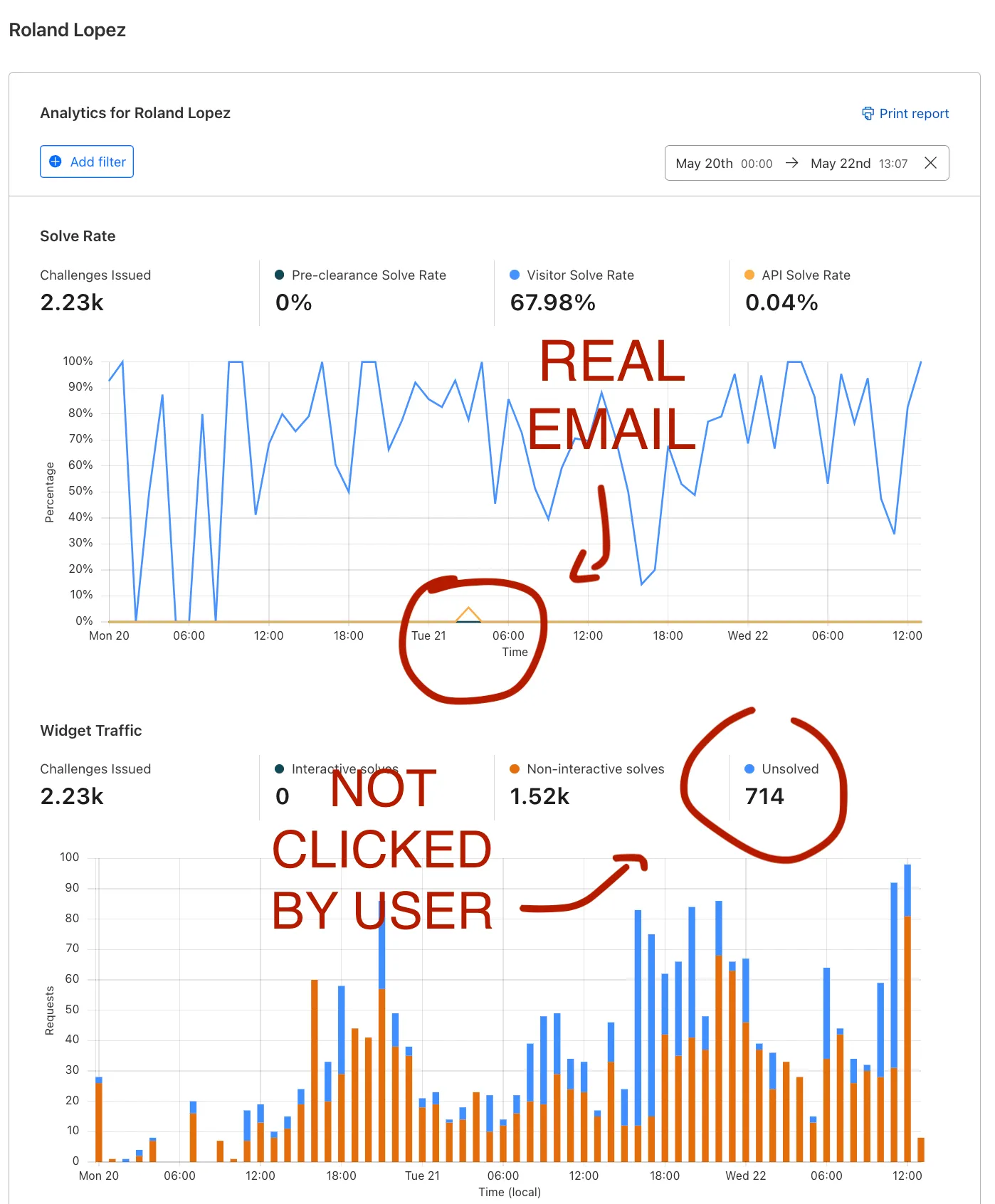
You can see how much cheating is happening in your lead collector, and keep your sales and marketing pipeline full of quality emails.
Alright, your turn. Enter your email to prove you are not an AI bot.
Roland